
Introduction
Use the two built-in buttons found on the micro:bit
Take advantage of the built-in buttons found on the front of every micro:bit board.


Video Overview
Featured Document
-
-
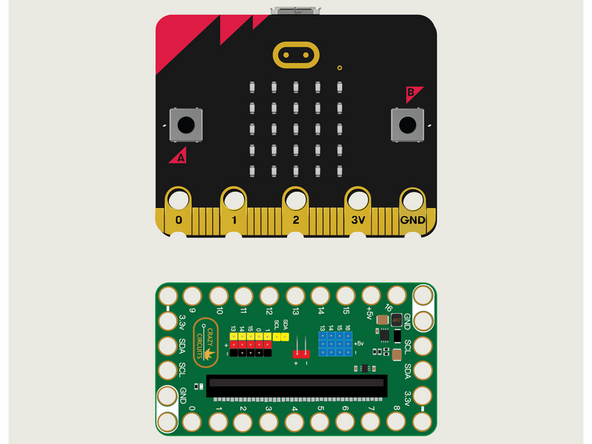
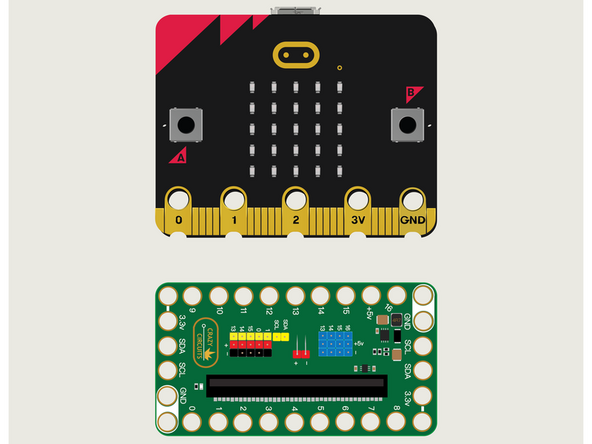
For this guide we won't need Maker Tape or any components. We're just going to put the micro:bit into the Bit Board.
-
We're only going to connect a USB cable and use the built-in A & B buttons on the front of the micro:bit
-
We'll use the LED Matrix found on the front of the micro:bit as well, to react to our button presses.
-
-
-
If you've never used a micro:bit before you'll want to check out this guide: Bit Board V2 Setup and Use
-
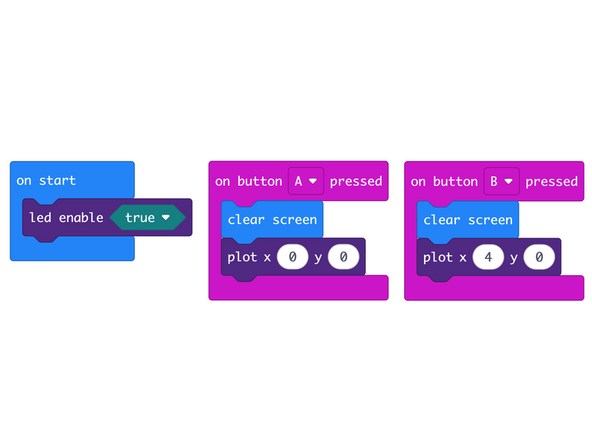
We're going to load the following code for our Press Pixel program: https://makecode.microbit.org/_XmH1Yw627...
-
Notice this code does not have a forever loop! Instead it uses event handlers to react to specific input, in this case, pressing a button.
-
We will once again turn on just a single pixel but we'll do it using the plot function rather than the show leds function.
-
-
-
Once the code is loaded it should start running immediately.
-
You can power the micro:bit via the USB cable you used to load the code or you can use a battery pack plugged into the Bit Board.
-
Press the A Button, then press the B Button. You'll get one LED in the matrix to light up with each button press.
-
Try pressing the buttons rapidly, alternating between A and B. What happens?
-
Even though the functionality is the same as the previous guide, this time the code is different, and you'll see the LED matrix respond much more quickly to the button presses.
-
-
-
Follow along with our recorded Live Stream!
-
You can watch the full video of us walking through this project, along with explaining and exploring the code: https://youtube.com/live/1WLUYItlSTY
-
Attached Documents
