
Introduction
Connect two Pushbuttons to a Bit Board and control a Piezo with code.
We'll explore how we can make sounds using a piezo speaker with two buttons.


Video Overview
Featured Document
-
-
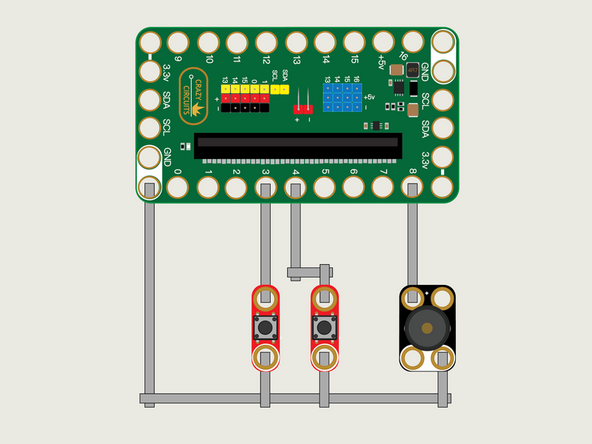
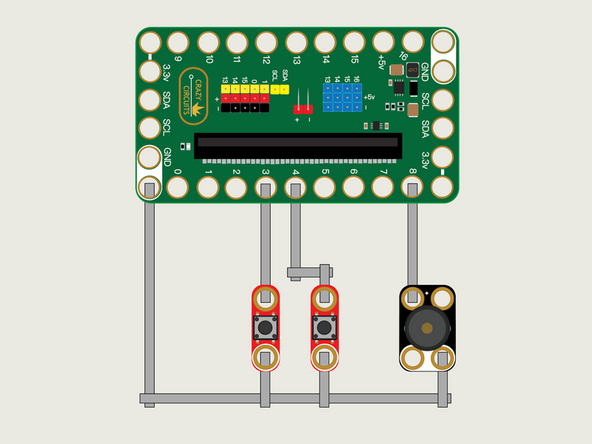
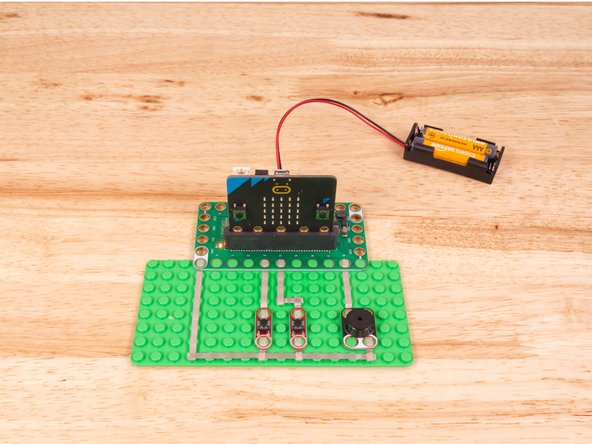
We'll use Maker Tape to connect the two Buttons and the Piezo to the Bit Board on a LEGO baseplate.
-
Connect one Button to Pin 3 and the other Button to Pin 4. Both will also connect to Ground (GND).
-
The Piezo will connect to Pin 8 and to Ground (GND).
-
You'll notice the Ground on the Bit Board (as well as the Piezo, Buttons, and other Crazy Circuits components we'll use) is color coded White.
-
-
-
If you've never used a micro:bit before you'll want to check out this guide: Bit Board V2 Setup and Use
-
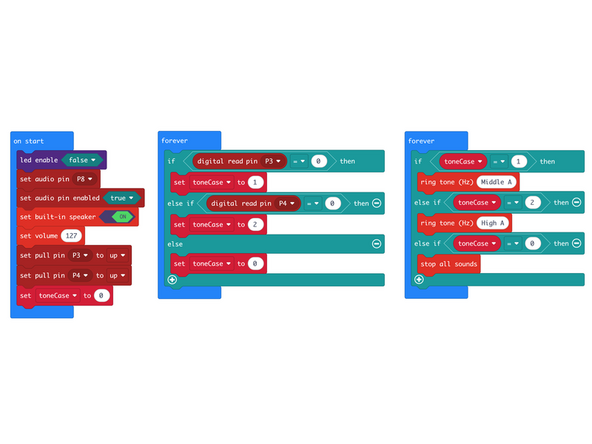
We're going to load the following code for our Piezo Double Tone program: https://makecode.microbit.org/_YTb4hpKf3...
-
The micro:bit (since the release of version V2) has included a built-in piezo speaker on the back. You can use the built-in Piezo on a V2 micro:bit or connect a Crazy Circuits Piezo with Maker Tape as we've shown in this guide.
-
Press a button and it will play a tone while held down.
-
-
-
Once the code is loaded it should start running immediately.
-
You can power the micro:bit via the USB cable you used to load the code or you can use a battery pack plugged into the Bit Board.
-
Each button press will change the value of the variable toneCase.
-
In a separate forever loop we'll read that variable and act upon it by playing a tone.
-
-
-
Follow along with our recorded Live Stream!
-
You can watch the full video of us walking through this project, along with explaining and exploring the code: https://www.youtube.com/live/Q4vGpeODS2E...
-
Attached Documents
