
Introduction
Connect two pushbuttons to a Bit Board and control an LED with code.
We'll explore how we can use two pushbuttons as inputs for the micro:bit


Video Overview
Featured Document
-
-
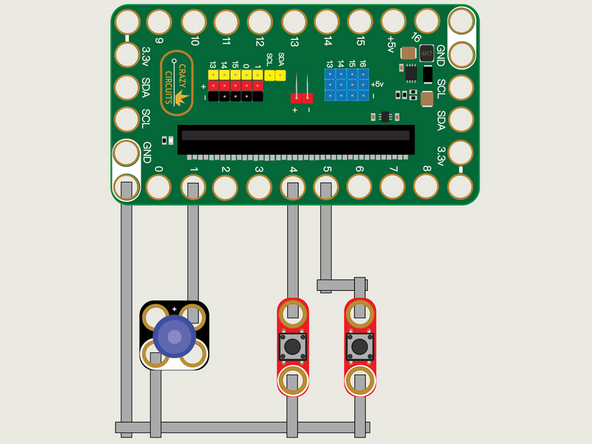
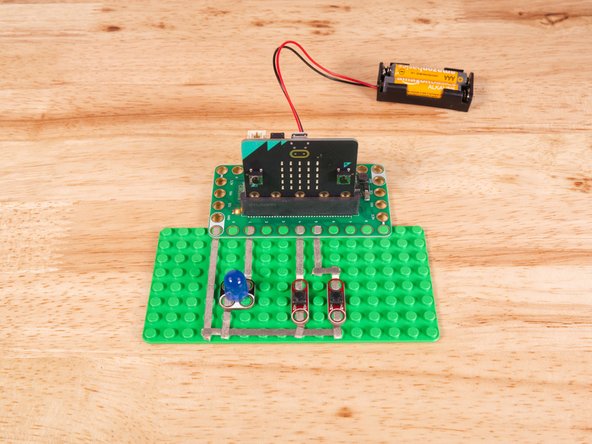
We'll use Maker Tape to connect the two Buttons and the LED to the Bit Board on a LEGO baseplate.
-
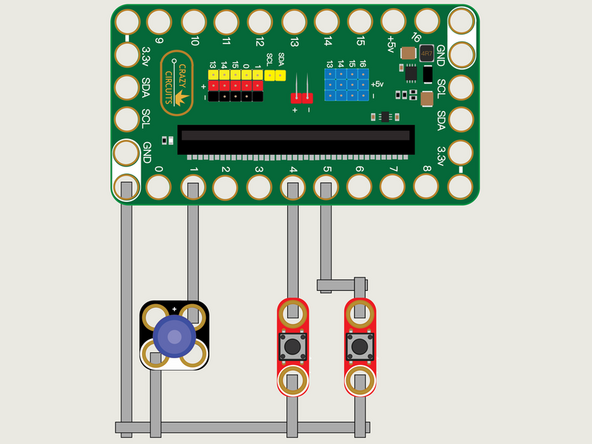
We'll connect our LED to Pin 1 and one of our Buttons to Pin 4 and the other to Pin 5.
-
And of course we'll connect the Ground (GND) sides of each component to Ground on the Bit Board.
-
You'll notice the Ground on the Bit Board (as well as the LED and other Crazy Circuits components we'll use) is color coded White.
-
While the LED has Polarity our Button does not. If you connect it the other way around it will still work fine. Not all components have Polarity.
-
-
-
If you've never used a micro:bit before you'll want to check out this guide: Bit Board V2 Setup and Use
-
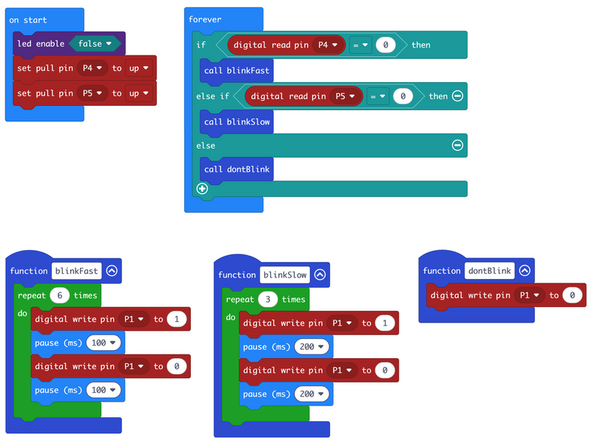
We're going to load the following code for our Two Buttons Functions program: https://makecode.microbit.org/_gJgf7Fi7w...
-
This code will blink the LED 6 times if you press the left button and 3 times if you press the right button.
-
This time we are using functions to control how many times the LED will blink. A function allows you to make your code modular, and as we'll see in future guides, can be quite powerful and help you organize your code.
-
For each button we've got a different function, one named blinkFast and one named blinkSlow, and it's easy to call the function when a button is pressed.
-
We've added a third function named dontBlink that will be called when neither button is being pressed.
-
-
-
Once the code is loaded it should start running immediately.
-
You can power the micro:bit via the USB cable you used to load the code or you can use a battery pack plugged into the Bit Board.
-
The LED should turn on and blink either 6 times or 3 times depending on which button you press.
-
-
-
Follow along with our recorded Live Stream!
-
You can watch the full video of us walking through this project, along with explaining and exploring the code: https://www.youtube.com/live/_QU-qXrxYr4...
-
Attached Documents
