
Introduction
Connect a Distance Sensor to a Bit Board and use it to control the output of a Piezo Speaker.

Video Overview
Featured Document
-
-
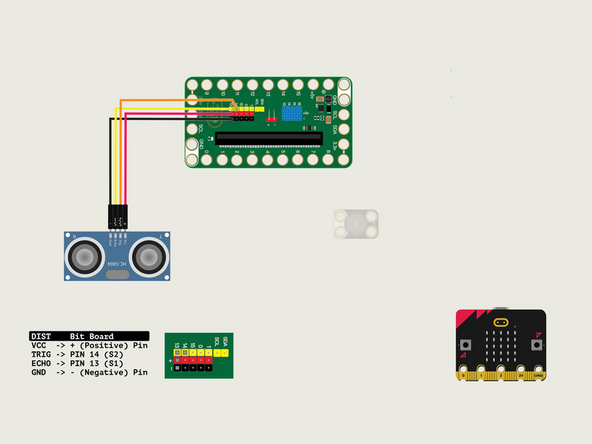
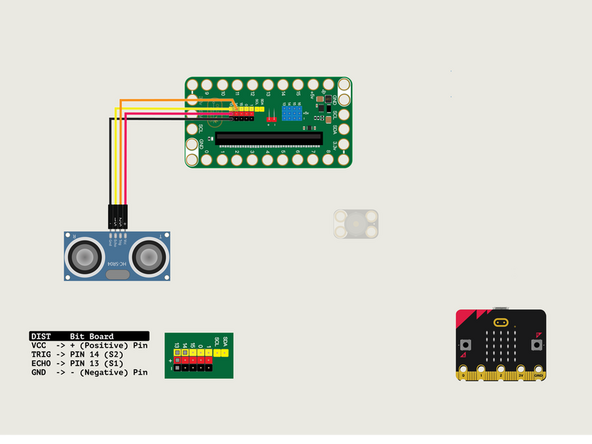
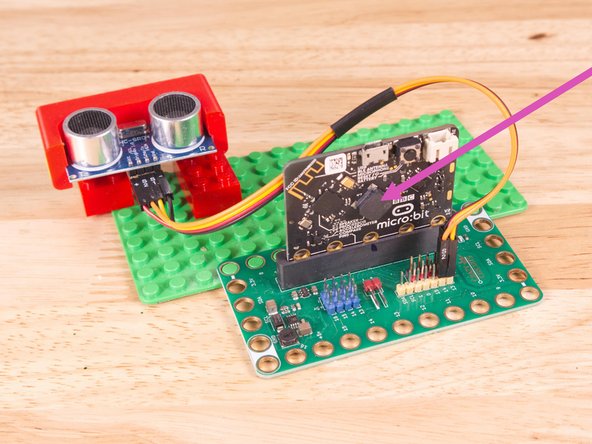
We'll connect the Distance Sensor with a Crazy Circuits Ribbon Cable using all four wires.
-
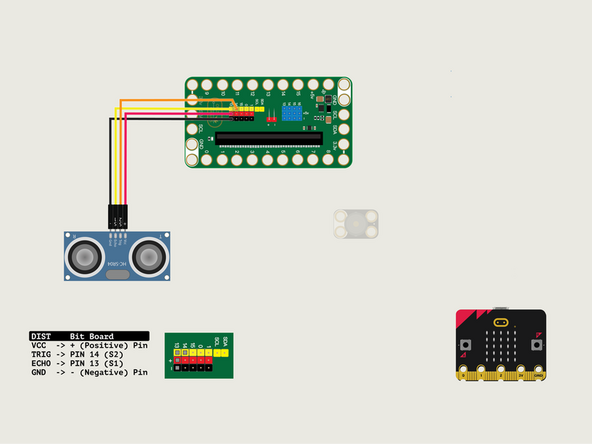
Plug the three-wire connector of the Crazy Circuits Ribbon Cable into the row with Pin 13 on the Bit Board. The wire colors should match the pin header colors, with S1 (yellow) going to the yellow pin.
-
Next, plug S2 (orange) into Pin 14. (S2 is separated from the three-wire connector to allow you to plug it into another row.)
-
To the Distance Sensor plug + (red) into VCC; S2 (orange) into TRIG; S1 (yellow) into ECHO; and - (black) into GND.
-
-
-
For this guide we'll use the built-in piezo speaker found on the micro:bit V2.
-
If you prefer to connect a Crazy Circuits Piezo Speaker take a look at Chapter 13 for notes on connecting one and adding code to use it.
-
-
-
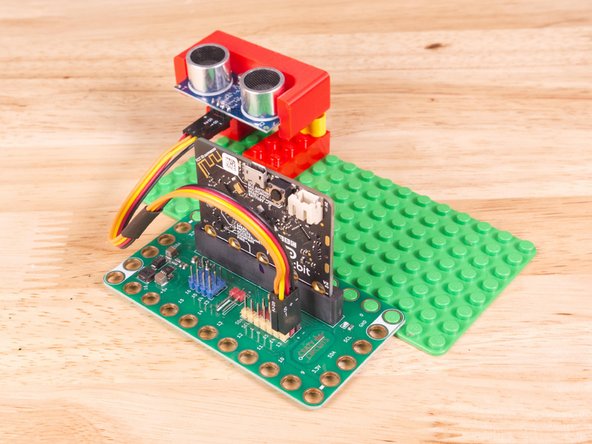
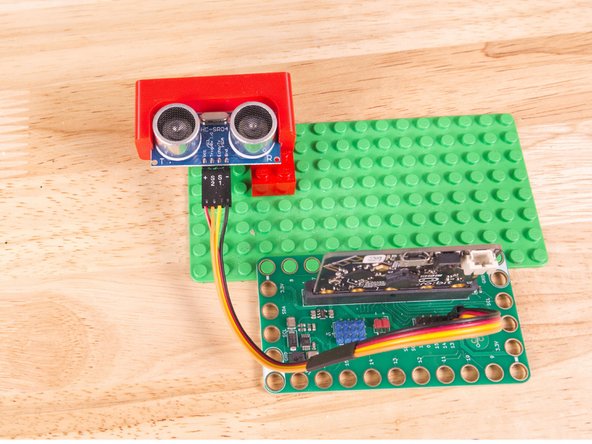
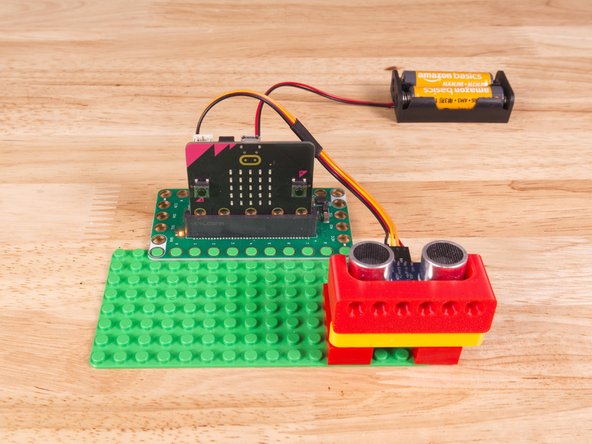
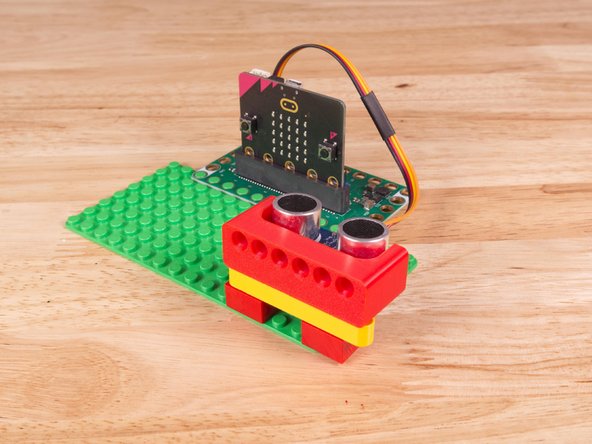
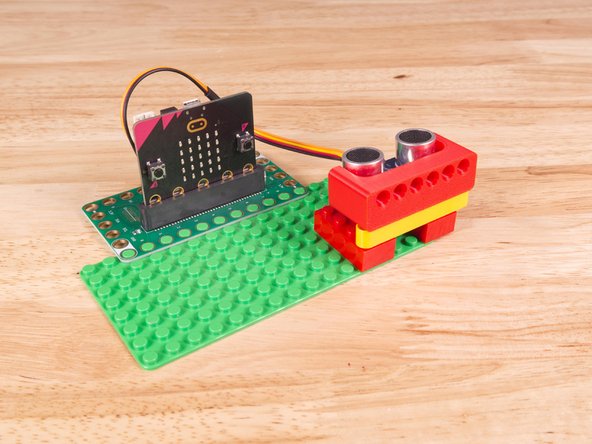
We used a 3D printed part we designed to hold the Distance Sensor in place on the LEGO baseplate.
-
A few Technic pins, a Technic beam, and some LEGO bricks are all that is needed.
-
Alternately you can use some LEGO bricks and a rubber band or tape to hold the sensor in place. (But don't use anything conductive!)
-
3D print your own Distance Sensor Holder with Holes.
-
-
-
If you've never used a micro:bit before you'll want to check out this guide: Bit Board V2 Setup and Use
-
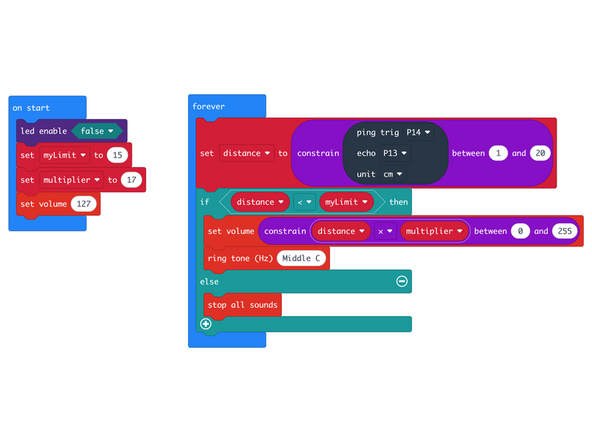
We're going to load the following code for our Distance Piezo Volume program: https://makecode.microbit.org/_avqV3cJwU...
-
In the on start block we'll disable the LED matrix, set myLimit to 15, set multiplier to 17, and set the volume to 127 (out of 255).
-
In our forever loop we'll check if the distance is less than myLimit, and if it is, the micro:bit will play the sound but will first set the volume to a value determined by multiplying the distance by the multiplier.
-
Notice we've used the constrain statement to limit the values we get in order to keep them within the range we want.
-
-
-
Once the code is loaded it should start running immediately.
-
You can power the micro:bit via the USB cable you used to load the code or you can use a battery pack plugged into the Bit Board.
-
Move your hand (or a flat object) close to the sensor. If the object is less than 15cm away the piezo will play a sound and the volume of the sound will vary depending how close the object is.
-
-
-
Follow along with our recorded Live Stream!
-
You can watch the full video of us walking through this project, along with explaining and exploring the code: https://youtube.com/live/8rIhboQLKSo
-
Attached Documents
